
QR codes have become ubiquitous in our tech-driven world. From restaurant menus to product packaging, these little squares bridge the gap between physical and digital experiences.
But how do you know if your QR codes are actually working? This is where QR code analytics comes in.
In this blog post, learn how to monitor the impact of your QR codes using key QR code metrics and explore how TinyURL boosts QR code analytics to refine your marketing efforts and help you gain essential information about how your audience behaves and what they like.
Main Takeaways From This Article:
- QR code analytics help measure your QR codes’ performance by tracking user interactions.
- Implementation of QR code tracking involves attaching unique identifiers, often called UTM parameters, to the encoded URL. These identifiers reveal details like the source of the scan, campaign association, and medium used.
- Dynamic QR codes offer several tracking benefits, including volume, user location, device type, and user behavior on the landing page.
- Key metrics for QR codes include scan volume, user location, device usage, user engagement, and conversion rates.
- Create dynamic QR codes with integrated analytics platforms to oversee user behavior and optimize your campaigns.
- Incorporating TinyURL in generating QR codes helps achieve precise tracking of user interactions and provides valuable insights such as total clicks, click demographics, and click time.
- Analytics assists in optimizing QR code campaigns by studying scan frequencies, analyzing user location, tracking user engagement, comparing QR code campaign performance, and setting clear objectives for increased engagement and sales.
What Is QR Code Analytics?
QR code analytics involves measuring the performance of your QR codes by tracking user interactions with them. This data empowers you to understand how effective your QR codes are in achieving your marketing goals.
How Does QR Code Tracking Work?
There are two main types of QR codes: static and dynamic. Static QR codes contain permanent data, while dynamic QR codes allow you to update the information linked to the code after it’s been generated.
Regardless of the type, you can track QR codes by attaching unique identifiers to the encoded URL. These identifiers, often called UTM parameters, are appended to the original URL and reveal details like the source of the scan (e.g., a flyer, magazine ad, etc.), the marketing campaign it’s associated with, and the medium used (QR code).
When users scan the code, analytics platforms capture these identifiers, painting a picture of user behavior.
Tracking Static vs. Dynamic QR Codes
While static QR codes are simpler to create, their tracking capabilities are limited. You can track the overall number of scans, but you won’t gain insights into user demographics, location, or what happens after the scan.
Dynamic QR codes offer a wealth of tracking benefits. You can track scan volume, user location, device type, and even user behavior on the landing page. Additionally, you can update the URL linked to the QR code without needing to regenerate the code itself.
This is ideal for campaigns where the content might change or for situations where you need to track multiple versions of the same QR code.
Benefits of QR Code Analytics
Here’s why QR code analytics deserves a prominent place in your marketing toolbox:
- Measures Campaign Effectiveness: Track scan volume and conversions to gauge your QR code’s success in driving desired actions.
- Optimizes User Experience: Analyze user location and device usage to understand how people interact with your QR codes and tailor your approach accordingly.
- Helps Gain Valuable Insights: Identify patterns and trends in user behavior to refine your QR code marketing campaign strategies and maximize ROI.
- Helps Refine Targeting: Analyze demographics based on location data to target specific user groups with your QR code campaigns.
- Optimizes Future Campaigns: Learn from past performance to refine future strategies.
- Boosts ROI: Make data-driven decisions to maximize the return on your investment.
Key Metrics to Track With QR Codes
Now, let’s explore the metrics that unlock valuable insights from your QR codes:
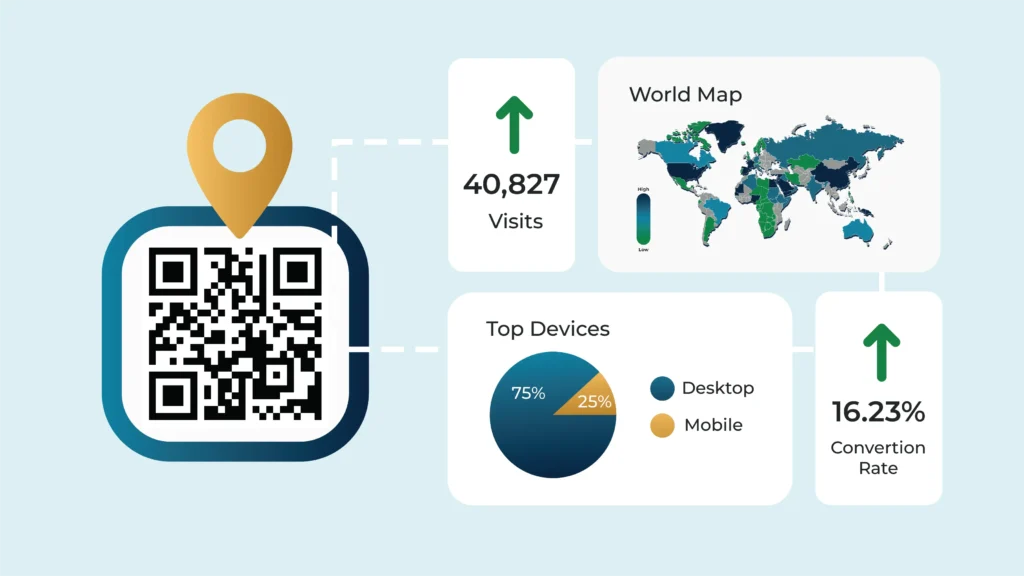
- Scan Volume: This refers to the total number of times a QR code has been scanned. This provides a basic understanding of the overall campaign reach.
- User Location: Gathering data on scans’ geographic locations helps you understand your market reach and identify areas for potential growth.
- Device Usage: Tracking which devices (iOS vs Android) are used to scan the QR code can reveal insights into your target audience’s demographics and preferred platforms.
- User Engagement: Measuring how long users stay on a landing page after scanning a QR code helps assess whether your content resonates with your audience.
- Conversion Rates: This metric indicates how often QR code scans lead to desired actions, such as website purchases, app downloads, or event registrations.
Setting Up QR Code Tracking With Integrated Analytics
Unleash the full potential of your QR codes by integrating them with analytics platforms. This unlocks a wealth of data, allowing you to understand user behavior and optimize your campaigns. Here’s how to get started:
Creating Trackable QR Codes
Your key to detailed tracking lies in dynamic QR codes. These versatile codes allow you to update the information linked to the code after it’s been generated.
Dynamic QR codes are perfect for short-term promotions, A/B testing, and error correction. Many QR code generators offer dynamic QR code creation with built-in analytics tools.
Choosing a QR Code Generator
Not all QR code generators are created equal. Here’s what to keep in mind when selecting one:
- Analytics Integration: Look for a generator that integrates with your preferred analytics platform (e.g., Google Analytics, Facebook Pixel). This ensures smooth data collection and eliminates the need for manual configuration.
- Dynamic QR Code Support: If you plan on utilizing the benefits of dynamic QR codes, ensure the generator offers them.
- Security Features: Choose a reputable generator with robust security measures to protect your QR code data and prevent malicious code injection.

Integrating With Analytics Platforms
Now, let’s explore specific platforms to bring your QR code tracking to life!
Google Analytics Integration
To integrate QR codes with Google Analytics, follow these steps:
- Step 1: If you haven’t already, create a Google Analytics account.
- Step 2: Utilize Google’s Campaign URL Builder tool to add UTM parameters to your QR code’s destination URL. These parameters categorize your QR code traffic within Google Analytics reports, allowing you to see how your QR code campaign performs compared to other marketing efforts.
- Step 3: Generate your trackable QR code using a service that integrates with Google Analytics. Many QR code generators offer this functionality.
- Step 4: Monitor your QR code performance in Google Analytics. You can track scans, user location, and more under the Acquisition section.
Here’s a Tip: Don’t stop at the basics! Leverage custom reports and segments in Google Analytics to gain deeper insights into user behavior after scanning your QR code. This allows you to see how users interact with your website or app post-scan, providing valuable data for optimizing your overall marketing strategy.
Using Additional Tools
Consider incorporating other analytics platforms for a more comprehensive picture of your QR code campaign’s performance. Here are some examples:
- Facebook Pixel: This tool is particularly useful if your QR code campaign is tied to a social media promotion on Facebook or Instagram. Facebook Pixel provides valuable data on user demographics and behavior within those platforms.
- Custom Analytics Tools: Depending on your specific goals, you might consider using custom analytics tools developed in-house or by third-party vendors. These tools can provide highly targeted data points relevant to your unique campaign objectives.
Leveraging TinyURL for Detailed QR Code Analytics
We’ve established the power of integrated analytics platforms for tracking QR codes’ performance. Now, let’s explore how TinyURL can further enhance your QR code analytics game!
Creating QR Codes with TinyURL
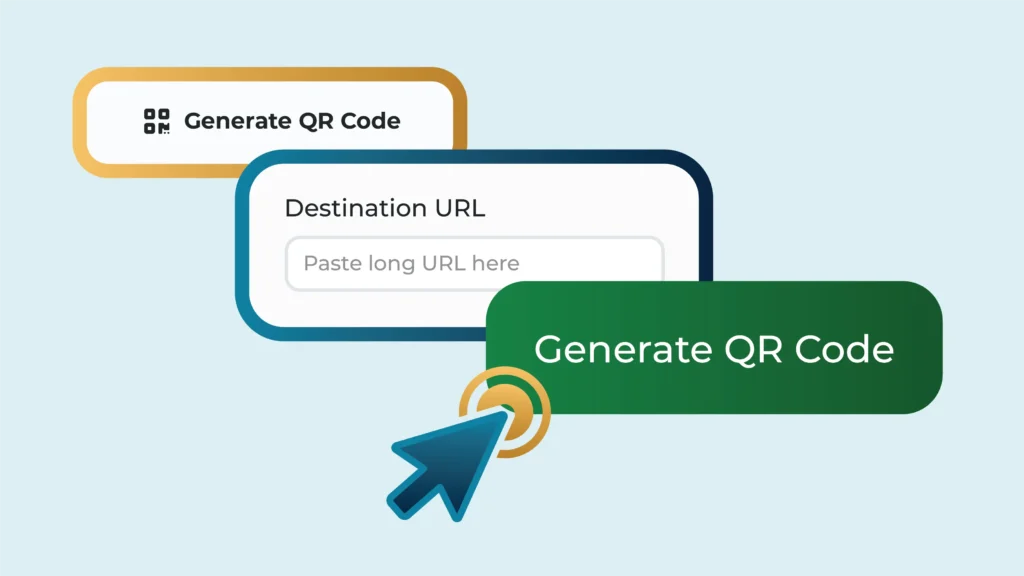
TinyURL excels at generating QR codes linked to custom URLs. This ensures each QR code has a unique link, enabling precise tracking of user interactions. Here’s how to get started:
- Head over to TinyURL: Visit the TinyURL website (https://tinyurl.com/).
- Craft Your Custom URL: Enter the actual URL you want users to be directed to after scanning the QR code. TinyURL will automatically generate a shortened version.
- Generate Your QR Code: Click the “Generate QR Code” button (availability may vary depending on your TinyURL account plan). TinyURL will create a downloadable QR code linked to your custom URL.
Pro Tip: Consider customizing the shortened URL for better branding or campaign identification. TinyURL offers custom aliases for premium accounts.
Advantages of Using TinyURL for QR Code Analytics
TinyURL offers several benefits for streamlined QR code analytics:
- Ease of Use: Generating QR codes with TinyURL is a breeze. The user interface is intuitive, making it ideal for beginners.
- Clean and Trackable Links: TinyURL shortens your URLs, making them aesthetically pleasing on printed materials and easier to integrate into QR codes. This also enhances their trackability by ensuring users are accessing them solely through the QR code scan.
- Integration With Other Tools: TinyURL integrates seamlessly with various marketing tools and analytics platforms, allowing you to centralize your data for easy analysis.
- Free Basic Tracking: TinyURL offers a free plan with basic tracking features. You can see the total number of clicks on your shortened URLs, giving you a general sense of QR code engagement.
Detailed Tracking with TinyURL
TinyURL provides valuable insights through link tracking. You can see how many times your TinyURL has been followed as long as you ensure that the specific TinyURL you generate for your QR code is only distributed as a QR code.
Avoid sharing this TinyURL link through other channels like email or social media. This way, any clicks registered on the TinyURL link can be confidently attributed to QR code scans. By following this approach, TinyURL can provide valuable insights into QR code interactions, such as:
- Total Clicks: Track the overall number of times your QR code has been scanned.
- Click Demographics: TinyURL’s premium plans offer access to data on user location and device type, providing insights into your QR code’s reach and audience.
- Click Time: See when users are most likely to scan your QR code, helping you optimize campaign timing and placement.
How to Optimize QR Code Campaigns Using Analytics
Interpreting the data from your QR code tracking is vital in refining your marketing strategies. Here are some tips to help you make the most of your QR code tracking data:
- Study Scan Frequencies: Look at the frequency of scans. Observe if certain times of the day or days of the week get more scans to help you schedule your promotions more effectively.
- Analyze User Location: Location data can provide insights into where your customers are engaging with your codes. This can help you better target your campaigns geographically.
- Track User Engagement: Monitor how long users stay after scanning your QR code. If they leave quickly, it may indicate that your landing page or offer is not compelling enough. If they stay longer, then you may be on the right track with your content or offer.
- Compare QR Code Campaign Performance: By comparing the performance of different QR code campaigns, you can identify what works and what doesn’t.
- Segment Your Data: Segmentation can help you obtain more precise insights. For instance, you can segment by demographics to understand which group is more responsive to your QR codes or segment by the device used to scan to tailor your content to the audience’s preferred platform.
- Integrate With Google Analytics: Google Analytics can provide additional insights into user behavior post-scan, allowing for a more holistic understanding of your QR code performance.
Putting Insights Into Action
With your data decoded, it’s time to take action! Here are some examples of how to adjust your campaign parameters based on QR code analytics:
- Destination URL: If user engagement on the landing page is low, consider changing the destination URL to a more relevant or engaging piece of content.
- QR Code Placement: Low scan volume from a particular location might prompt you to relocate your QR code to a higher-traffic area.
- QR Code Design: A visually unappealing QR code might be hindering scans. Experiment with different designs and colors to see what resonates best with your audience.
- Call to Action: If conversions are low, revise your call to action on the landing page to be clearer and more compelling.
By continuously monitoring your QR code analytics and iterating on your campaigns based on the data, you can ensure your QR codes are driving real results.
Enhance Campaign Effectiveness With TinyURL
If you are looking to optimize your QR campaigns for maximum impact, TinyURL can empower your efforts. While the free plan offers basic link tracking data, the paid plans provide features like analytics and location tracking, which can give you even deeper insights into user behavior and QR code interactions.
By leveraging QR code analytics and TinyURL’s capabilities, you can transform your QR codes from static squares into dynamic marketing tools that drive engagement and conversions.
So, what are you waiting for? Start tracking your QR codes today!