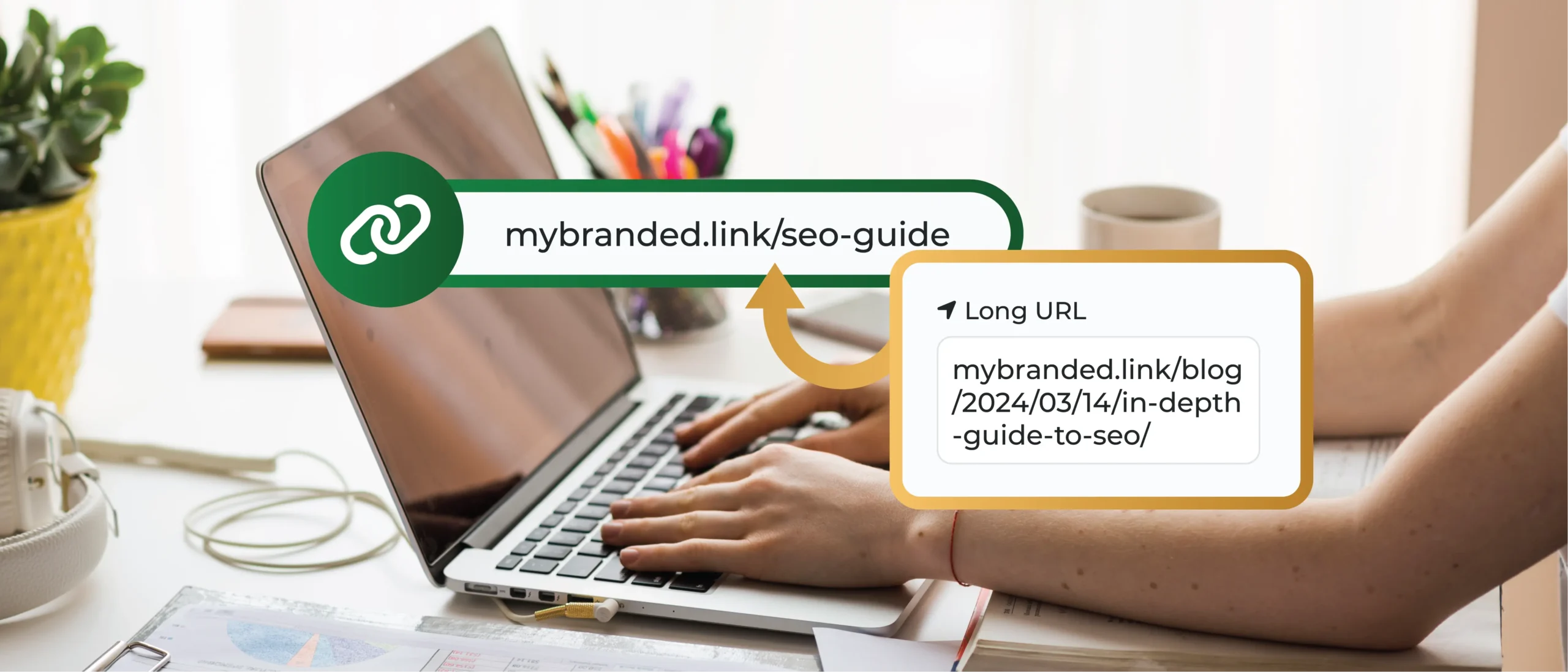
Ever typed a long URL into your web browser’s address bar and wondered what all those cryptic letters and symbols meant? You’re not alone. Those seemingly random components can be perplexing, but they play a much bigger role than simply directing you to a website.
This guide delves deeper, dissecting the intricate anatomy of a URL and exploring how each part influences web functionality and even search engine optimization (SEO). Additionally, we’ll explore how TinyURL, a powerful tool to manage complex URLs more efficiently, can help ensure clarity and functionality without compromising your web presence.
Main Takeaways From This Article:
- A URL is a complex structure comprising components such as the protocol, subdomain, domain, path, query, parameters, and fragment, each playing a unique role in web functionality.
- Understanding the detailed architecture of a URL is crucial for advanced web development, influencing aspects like user experience, SEO, and security.
- The scheme or protocol defines how data is transferred over the web, with HTTPS offering more security than HTTP.
- TinyURL is a valuable tool for managing complex URLs efficiently, maintaining functionality while simplifying web addresses for ease of use.
- Each URL component has technical specifications that can enhance or hinder your website’s performance, making its proper configuration essential.
Uniform Resource Locator (URL) Overview
A URL, or Uniform Resource Locator, acts as the web address that directs your browser to a specific resource on the Internet. It’s like a personalized map, guiding you to that exact recipe video, online store purchase, or informative blog post (like this one!).
We all know URLs—the web addresses we type into our web browsers to access websites. But have you ever wondered what all those seemingly random letters, numbers, and symbols mean?
Sure, we can recognize the basic structure of a URL: http://www.example.com/about.html but beneath this surface lies a fascinating architecture, with each component playing a specific role. Understanding these parts goes beyond memorizing terms – it unlocks a deeper appreciation for how websites function and how search engines find them.
Detailed Analysis of URL Components
Now, let’s go deeper and explore the individual components that make up a URL, piece by piece!
Scheme/Protocol
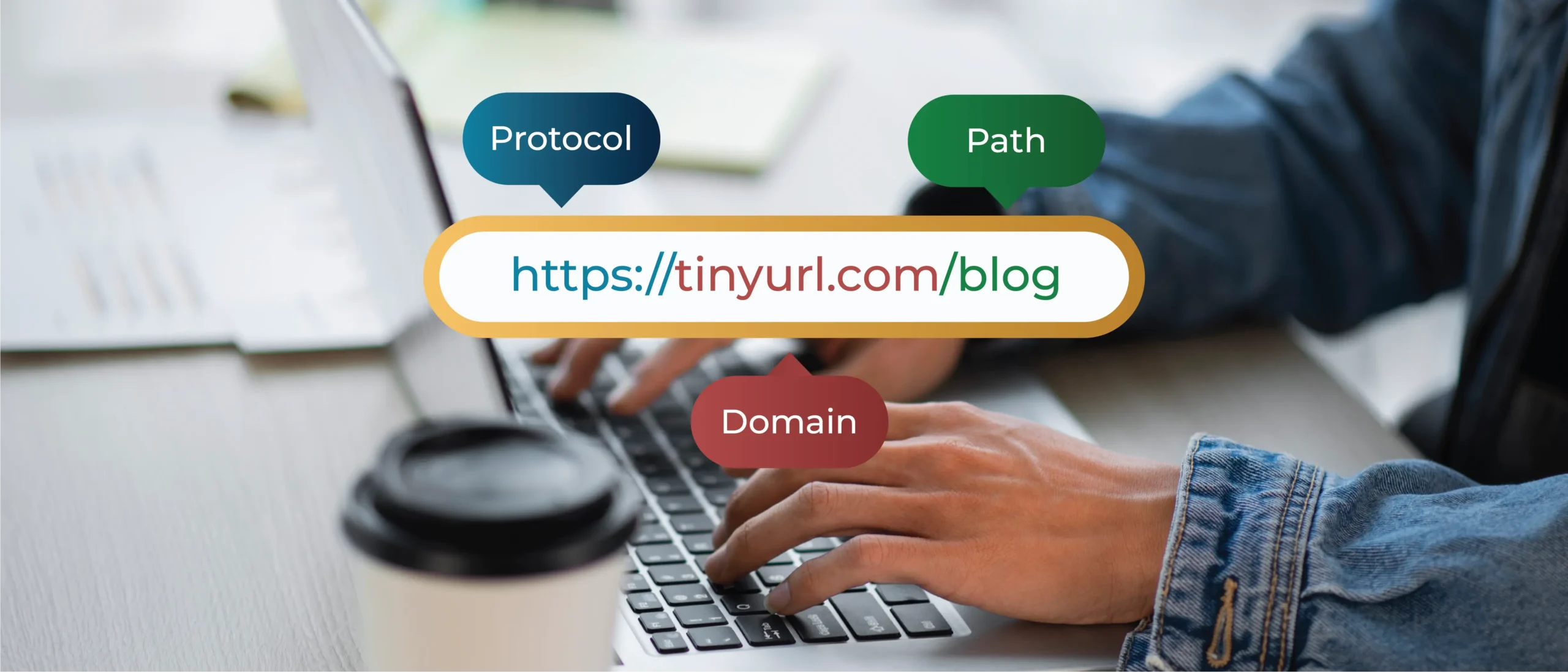
The scheme, written at the very beginning (e.g., https://), acts like the URL’s language. It tells the browser which communication protocol to use when retrieving the resource. The two most common protocols are:
- HTTPS (Hypertext Transfer Protocol Secure): This is the secure version of HTTP, ensuring encrypted communication between your browser and the web server. Look for that reassuring padlock icon next to the URL to confirm HTTPS is in use!
- HTTP (Hypertext Transfer Protocol): The older, less secure protocol – still used for some non-sensitive web elements.
Subdomain
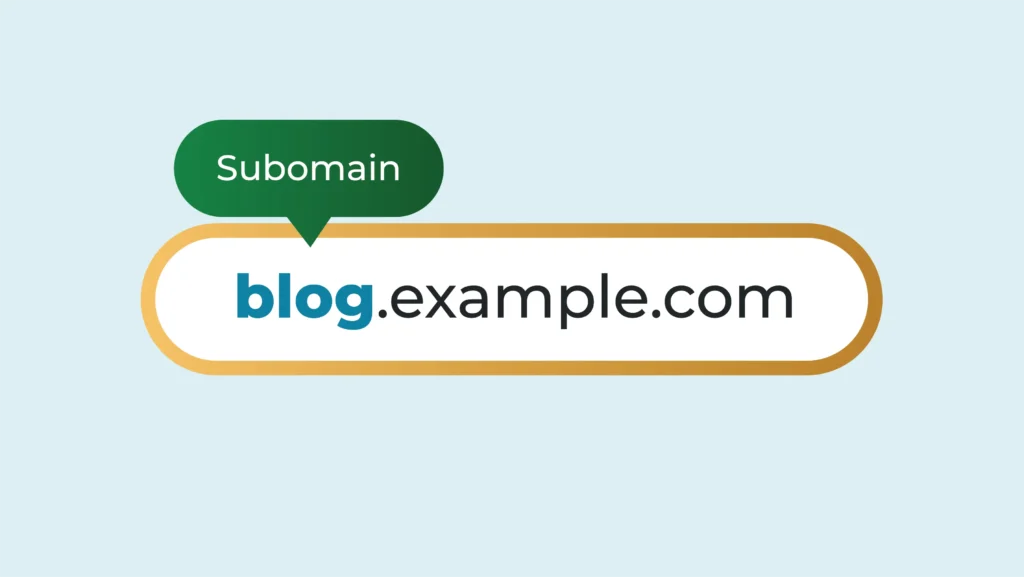
A subdomain is like a special section within a website. Think of it as a specific “room” in the larger “house” of your domain, helping you organize your content better. For instance, in “blog.example.com,” “blog” is the subdomain. It directs users to a dedicated blog page while still being part of “example.com.”
Subdomains are beneficial for segmenting different areas of your site, such as “shop.example.com” for an online store or “support.example.com” for customer service. This structure improves user navigation and enhances your site’s overall organization.
Second-Level Domain (SLD)
The SLD is the heart and soul of your website’s identity. It’s the prominent name you type before the dot and the TLD (e.g., “google” in “http://www.google.com/intl/en/privacy“). SLD is important because it is your brand on the web. It’s what users remember and associate with your website.
When choosing an SLD, take these factors into account:
- Clarity: Choose a name that is clear, memorable, and easy to spell.
- Relevance: Ideally, your SLD should reflect the nature of your website or brand.
- Availability: Check for domain name availability before settling on a name.
Top-Level Domain (TLD)
The Top-Level Domain (TLD) is essentially the last part of a URL, coming after the final dot. TLDs usually indicate the purpose or type of the website—.com for commercial sites, .org for organizations, and .edu for educational institutions. There are also country-specific TLDs like .uk for the United Kingdom. This small component plays a big role in user perception and SEO, establishing a site’s identity on the web and helping users understand its intended purpose right away.
Common TLDs:
- .com: Most commonly used for commercial websites
- .org: Denotes non-profit organizations
- .edu: Indicates educational institutions
- .gov: Used for government websites
Subdirectory
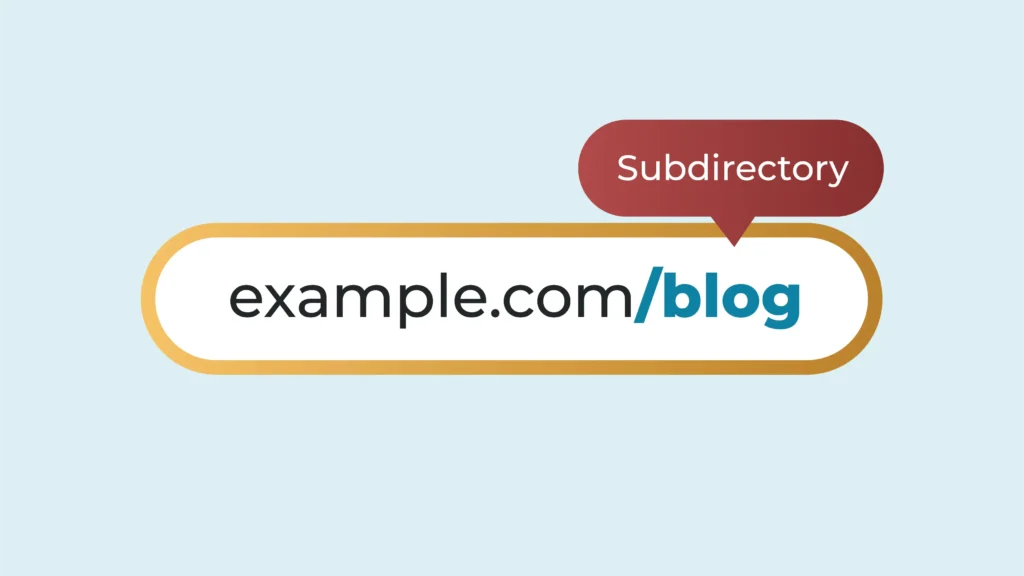
A subdirectory, also known as a subfolder, organizes the content of a website into different sections. It follows the top-level domain in a URL, for example, www.example.com/blog, where “/blog” is the subdirectory. This structure helps in categorizing and managing web content efficiently.
Subdirectories are pivotal for SEO as they provide additional keyword opportunities and make it easier for search engines to understand a site’s structure. Essentially, they offer a neat and hierarchical way to access various parts of your website, contributing to better user experience and navigation.
Port
Think of ports as specific doorways within a building. Web traffic uses ports 80 (HTTP) and 443 (HTTPS) by default. However, some websites might use custom ports for specific services. Ports specify the communication channel used to access a resource on the server.
Common Ports:
- Port 80: Used for HTTP traffic (the default for web browsing).
- Port 443: Used for HTTPS traffic (the secure communication protocol).
Custom Ports: Some websites might use ports other than 80 or 443 for specific services like email (port 25) or FTP (port 21). These ports are usually specified in the URL itself.
Path
The ‘path’ in a URL follows the domain and specifies the exact location of a resource on the server. It typically appears after the domain name and can include multiple segments separated by slashes. For example, in www.example.com/articles/2023/guide, /articles/2023/guide is the path. This helps web servers understand which specific web page or resource you’re trying to access.
Paths can include files, directories, or more abstract routes in web applications, playing a crucial role in organizing and retrieving content. Paths should be clear and descriptive to enhance both user experience and SEO.
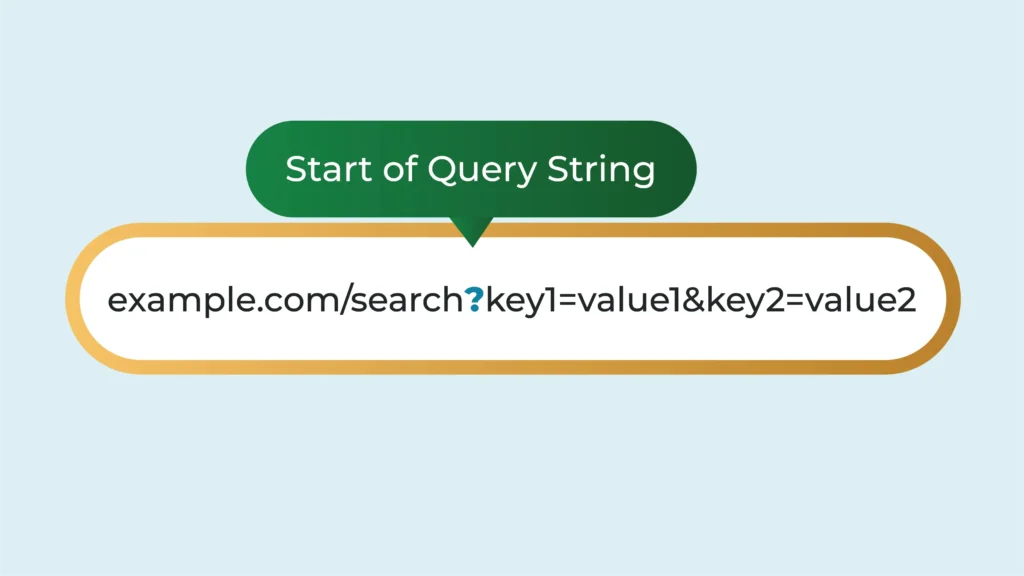
Query
The query, introduced by a question mark (“?”), acts like a search bar within the URL. It provides additional information to refine the requested resource. If you search for a keyword on Google.com, you will notice that a ‘/search?’ is added after the ‘.com.’
A query:
- Starts after a question mark (?) in the URL.
- It is often used in search queries, form submissions, and parameterized web pages.
- Contains key-value pairs separated by an ampersand (&).
- Makes URLs dynamic and context-specific.
Understanding how query components work helps tailor content based on user inputs and enhance server responses.
Parameters (Query Strings)
Imagine parameters as specific instructions you provide to a website to tailor its response. They act like key-value pairs within the query string, following the URL’s question mark (“?”). Here’s a breakdown of how they work:
URL parameters break down the query into specific details for the website to process. They allow for fine-grained control over searches, filter options, or dynamic content. They consist of key-value pairs separated by ampersands (“&”).
- The key identifies the specific aspect you’re modifying.
- The value specifies the desired setting for that key.
Here’s an example: In “https://en.wikipedia.org/wiki/Query_string“,
- “q” is the key (indicating the search term).
- “dogs” is the value (the term being searched for).
- “sort” is another key (specifying sorting criteria).
- “recent” is the value (indicating sorting by recent results).
Fragment
This component is like a bookmark within a webpage. It links to a specific section of the page, eliminating the need to scroll through the entire content. A fragment identifier, introduced by a hash symbol (“#”), allows you to jump to a specific section on a web page without reloading the entire page.
Effective use of fragments can significantly improve navigation within a webpage, especially for long pages with distinct sections.
How URL Components Affect Web Functionality
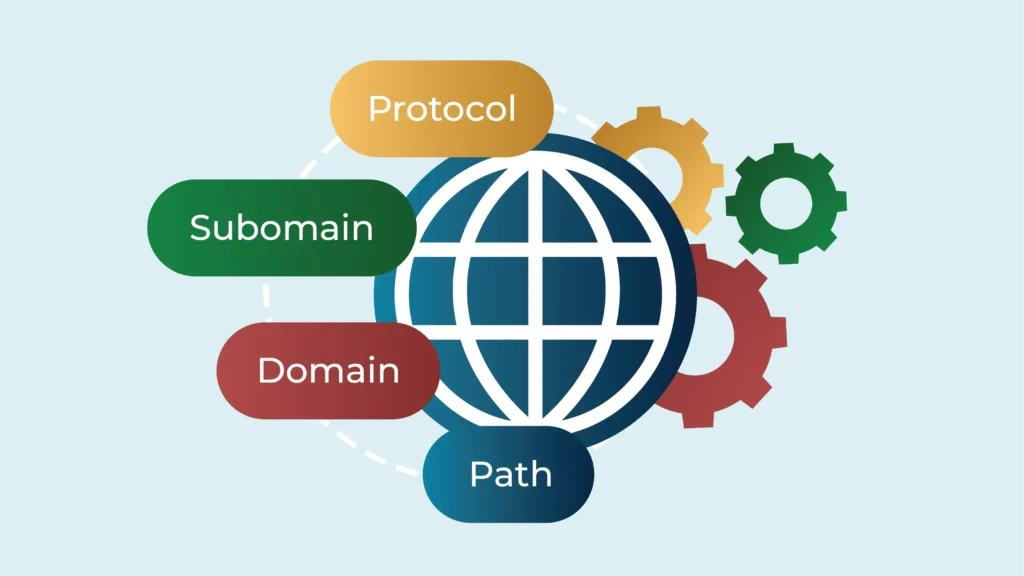
We’ve broken down the parts of a URL and examined what each part does. Now, let’s see how these parts affect how we use websites. Now, we’ll explore how URL components impact three key areas: user experience, SEO, and website security.
User Experience
A well-structured URL with clear and descriptive components can significantly enhance your browsing experience by improving navigation, search functionality, and sharing. Here’s how:
- Intuitive Navigation: Clearly defined subdirectories, paths, and query strings make it easier for users to understand the website’s structure and find the information they need. Imagine the frustration of navigating a website with cryptic URLs like “[invalid URL removed]” compared to a clear and descriptive URL like “[invalid URL removed]”.
- Search Functionality: URLs with relevant keywords within the SLD, subdirectories, and even paths can improve the accuracy of website search functions. For instance, searching for “hiking trails” on a website with a path like “[invalid URL removed]/outdoor/hiking-trails” is likely to yield more relevant results.
- Bookmarking and Sharing: Clear and concise URLs are easier to remember and share with others. This encourages users to bookmark relevant pages and revisit them later or share them with friends and colleagues who might find the information valuable. No more struggling to remember or decipher lengthy, cryptic URLs!
- Logical Structure: A well-organized URL structure with proper subdirectories and paths goes beyond just readability. It helps users mentally map your website, fostering a sense of familiarity and allowing them to find what they’re looking for more intuitively.
- Predictability: Consistent URL structures build user trust. By using a logical and predictable approach to URL construction, users can begin to anticipate where content might be located based on the URL itself. This creates a smoother and more efficient browsing experience.
Search Engine Optimization
While not the sole ranking factor, URLs do play a role in how search engines understand and rank your website. Here’s how:
- Keywords in SLD and Subdirectories: Including relevant keywords within the SLD and subdirectories can signal to search engines the thematic focus of your website and its content.
- Descriptive Paths: Incorporating relevant keywords in the path can further enhance SEO by providing more specific context about the content on that particular page.
- Clear Query Strings: While search engine algorithms primarily focus on the content itself, clear and descriptive query strings within URLs can indirectly improve user experience and potentially influence click-through rates (CTR), which can be a factor in SEO.
- Dynamic URLs With Parameters: While excessive parameters can be cumbersome, using them strategically for filtering or sorting functionalities can still be SEO-friendly – ensure the parameters are clear and relevant to the content.
Security
Understanding URL components is crucial for:
- Identifying Secure Communication (HTTPS): The presence of HTTPS in the URL indicates a secure connection between your browser and the website. This encryption helps safeguard your data, like passwords or credit card information, from being intercepted by malicious actors.
- Recognizing Suspicious Subdomains: Unfamiliar subdomains can be a security red flag, especially when dealing with sensitive information. Legitimate websites typically use subdomains for specific purposes (e.g., “mail.google.com“). Being aware of the website’s expected subdomain structure can help you identify potentially spoofed websites trying to steal your information.
- Spotting Phishing Attempts (Length & Complexity): Extremely long or overly complex URLs with numerous parameters or unusual characters can be a tactic used in phishing attempts. These URLs are often designed to confuse users and make it difficult to discern the true destination. By being aware of this red flag, you can avoid clicking on malicious links that might lead to fake login pages or malware downloads.
Optimize Your Website’s URLs With TinyURL
Crafting clear and informative website URLs is vital for user experience, search engine ranking, and analyzing website performance. But what about those long URLs that just don’t fit? TinyURL offers a one-stop solution!
TinyURL lets you:
- Shorten long URLs to manageable links
- Use customizable aliases for easy brand recall and sharing
- Track performance with click statistics
- Protect your links with robust security measures
With TinyURL, you can shorten lengthy website URLs into user-friendly links, perfect for social media sharing or email signatures, without sacrificing clicks.
Sign up for TinyURL and see how it can transform your website’s URLs into user-friendly links that boost your website’s performance.