By default, the page redirects to TinyURL 404 Not Found page if the branded link does not exist.
To redirect customers when they try to access a non-existent branded link you may follow the steps below:
- Login to your TinyURL account
- On your Profile Settings, go to the Profile > Branded Domains
- From this page, click on the gear icon from your domain/subdomain’s row to open the domain slider
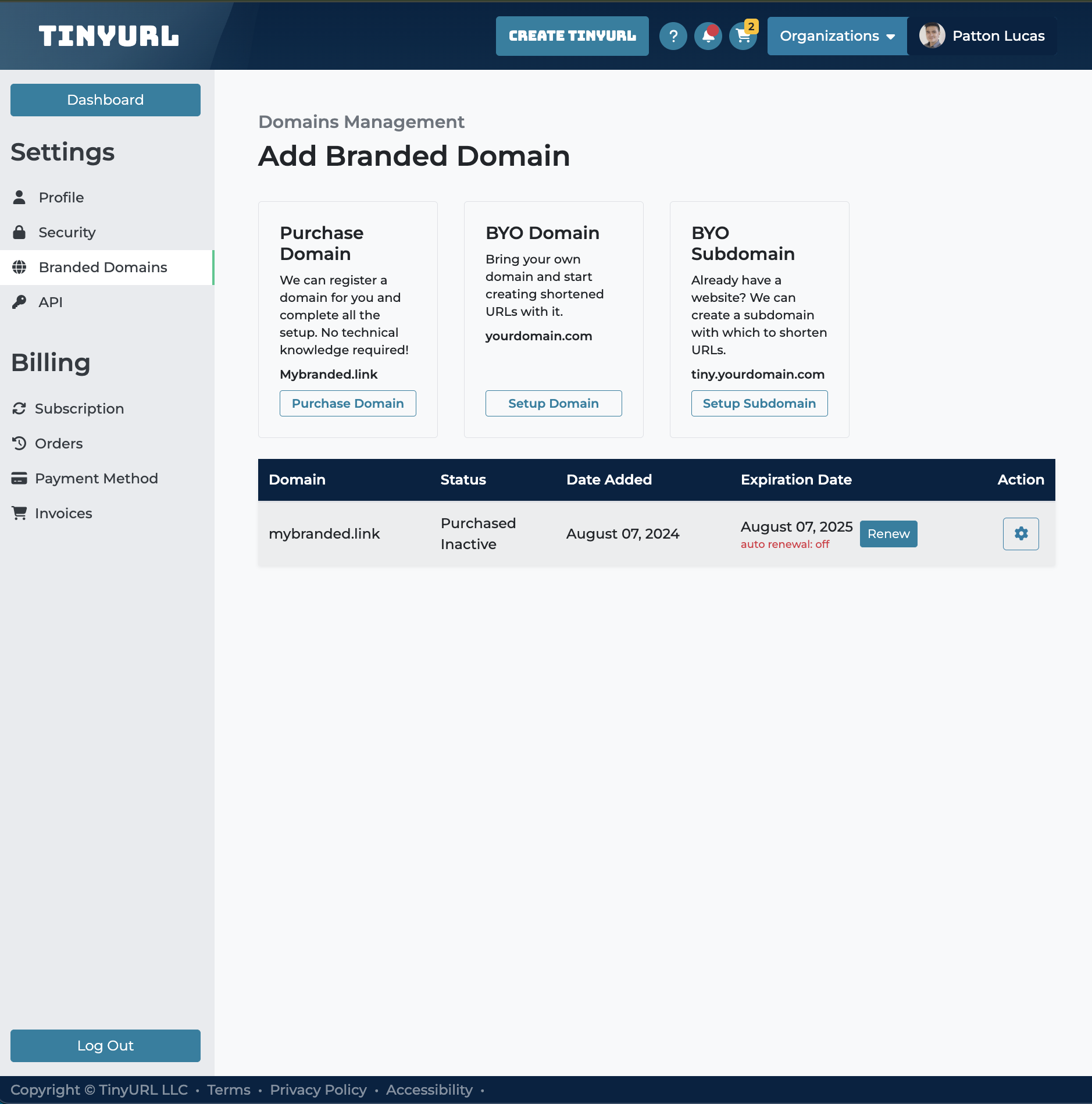
- In the Domain Settings, look for the “Redirect 404 Not Found” field and toggle the button to “Enabled” so the field can expand.
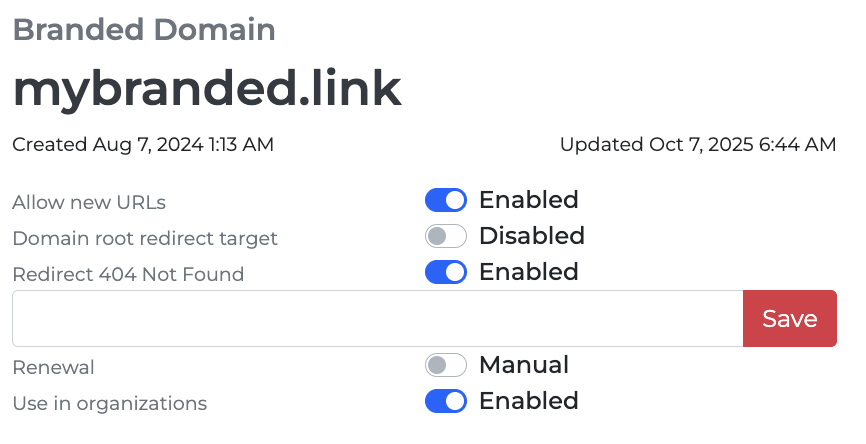
- On the space provided, enter the URL or domain, where you want your 404 errors to land. The two usual options are either your website or a dedicated 404 Not Found landing page.
- Then, click the Save button as highlighted in the screenshot.